AI Fact-Checking for Appellate Citations
HyperCite reviews every cited statement against the record — flagging unsupported assertions, contradictions, and misattributions before they reach the bench. Built for the Arizona Court of Appeals.
- 1Uploadyour brief and its case number
- 2We hyperlinkevery citation to the record, free
- 3Fact-checkif you choose
Free account · no credit card required · pay only when you fact-check
Already have an account? Sign in
What HyperCite AI Fact-Checks
Every cited statement is checked against the referenced portion of the record. HyperCite flags nine categories of citation issues for human review, and checks that every case you cite actually exists.
Unsupported Assertion
The cited statement is not supported by the referenced portion of the record.
Contradiction
The cited statement is directly contradicted by the referenced portion of the record.
Partial Support
Some elements of the cited statement are present in the record; others are not.
Overstatement
The cited statement overstates what the record actually establishes.
Incorrect Attribution
The statement is attributed to the wrong source, witness, or document.
Omitted Exception
A material qualification or exception in the record is omitted from the citing statement.
External Case Verification
Any cited case that can't be verified, including hallucinated cites, is flagged for you to review and correct.
Non-Existent Pages
HyperCite flags cited pages that do not exist.
Unsupported Formats
Any unsupported format is noted as such.
What You Get Back
Every fact-check is delivered three ways. Use whichever fits how you work.
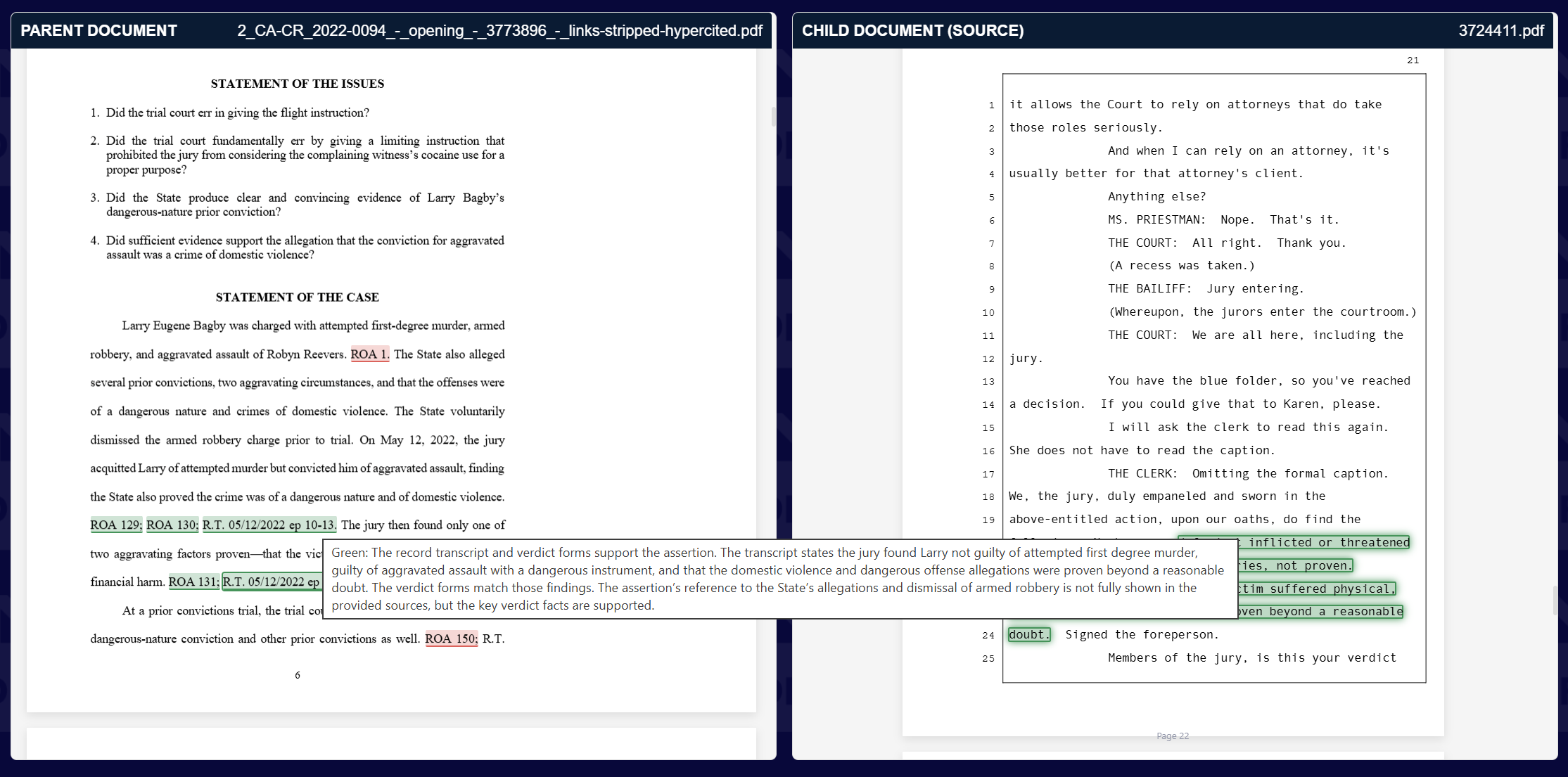
Online side-by-side review
Your brief beside the court record it cites. Click a citation to open the cited page with the evidence highlighted; hover over its grade to see our reasoning.
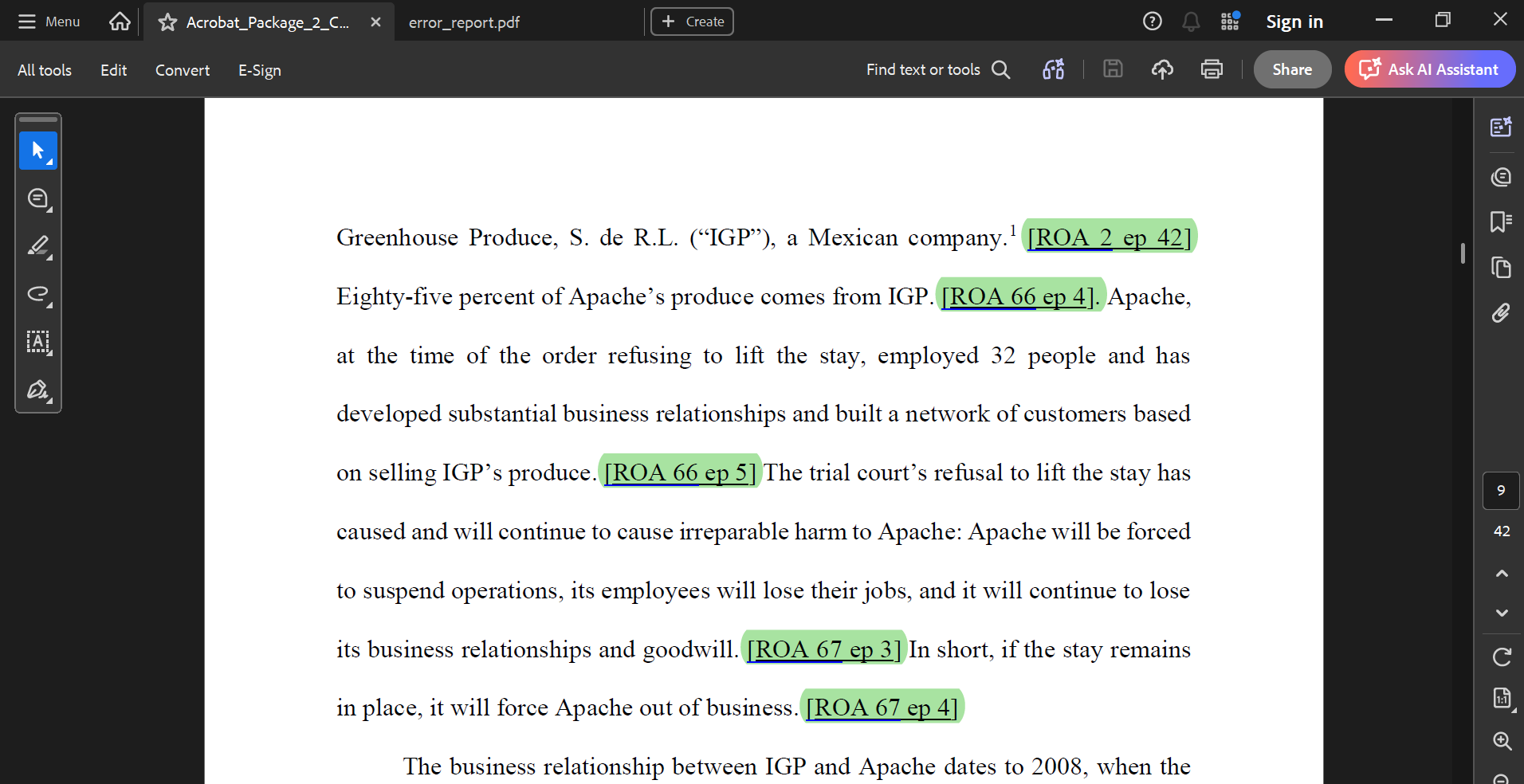
Full Acrobat Package
Your graded, hyperlinked brief with the error report attached. Every citation links to the record and to its finding in the report.
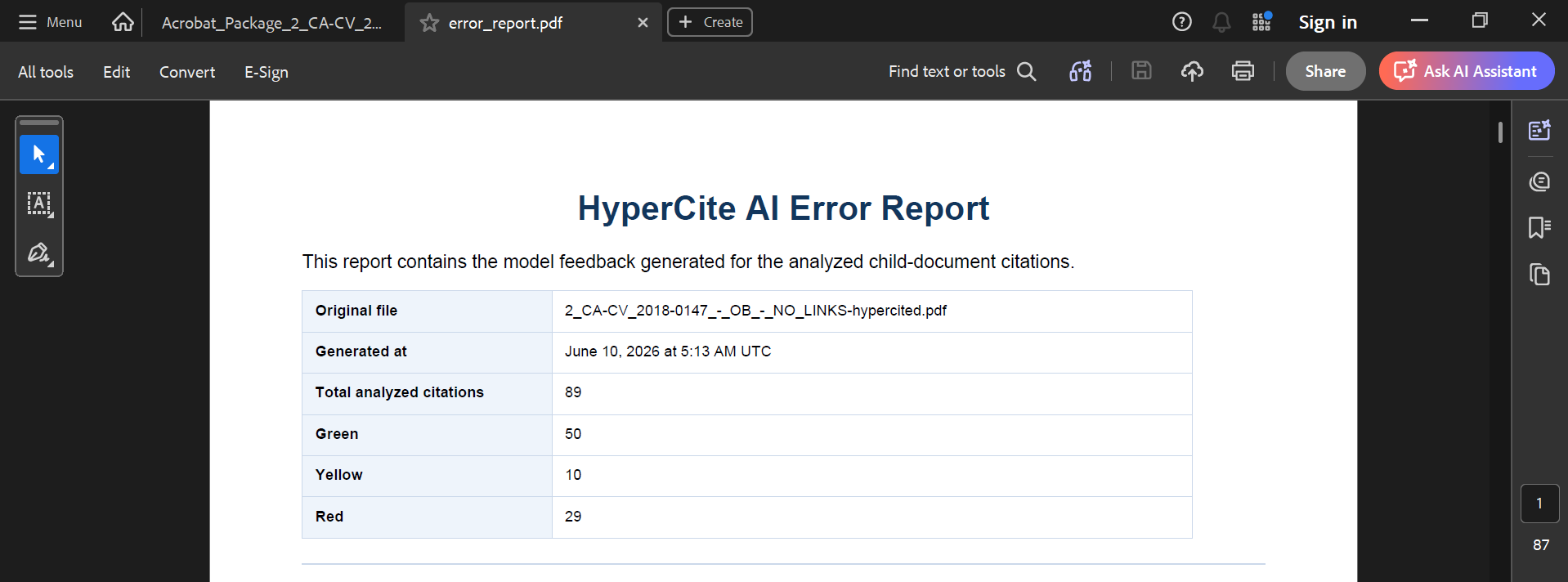
Error Report
A summary of every citation checked, then each finding: your claim, what the record says, and our reasoning.
Free Hyperlinking for Every Brief
HyperCite turns every citation in your brief, motion, or response into a link to the cited page of the court's own record: the ROA, transcripts and prior briefing. Enter the case number and HyperCite reads the record from the court; there is nothing else to upload. It takes seconds, it costs nothing, and it meets the Court's hyperlinking requirement.
- Make your filing easy for the court to verify.
- Check your own citations, or opposing counsel's, citation by citation.
- Hyperlinking is also the first step of every fact-check: the links tell the AI which pages to read.
COA-Id. instead of Id. when you repeat one of those cites. The citation guide covers every format.STATEMENT OF THE CASE
Appellant Desert Bloom Farms, LLC sued Appellee Sonoran Packing Co. for breach of a supply agreement. (ROA 2 ep 4–9.) The trial court granted summary judgment for Sonoran. (ROA 66 ep 3.) At the hearing, Desert Bloom's manager testified that no notice was received. (R.T. 11/15/19 a.m. at 12.) The court did not address that testimony. (COA-Id. ep 4.)What People Are Saying


“Our law firm uses HyperCite® on all of our documentation to save time so that we can focus on more important things like winning our cases!”
Larry H. Parker | Larry H. Parker Law Firm